
Photo to Photo Style Transfer

Upload any image as a style reference — illustrations, paintings, or designs — and apply it to your photo instantly.

Original PhotoThe image to transform

Click / Drag to upload

Or try a sample
Style ReferenceThe style to apply

Click / Drag to upload

Or try a sample

Optional

Style transfer preview

Photo to Photo Style Transfer Examples

See how photo to photo style transfer mirrors a reference image across portraits, products, and interiors with different goals and finishes.

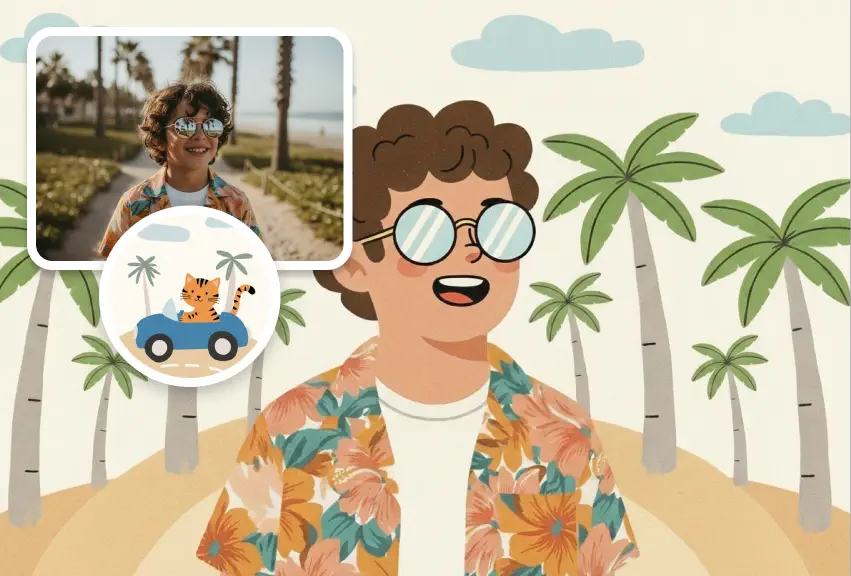
photo to photo style transfer portrait concept

Concept Style Consistency

Use image to image style transfer to keep the same visual style across scenes, characters, and environments. By applying one reference image, AI style transfer helps maintain a consistent look throughout your entire creative project.
Transfer Style
photo to photo style transfer entertainment

Entertainment Style Transformation

Use AI style transfer to transform your photos into anime, game, or artistic styles based on reference images. Image to image style transfer makes entertainment-style transformations more flexible, creative, and fun.
Transfer Style
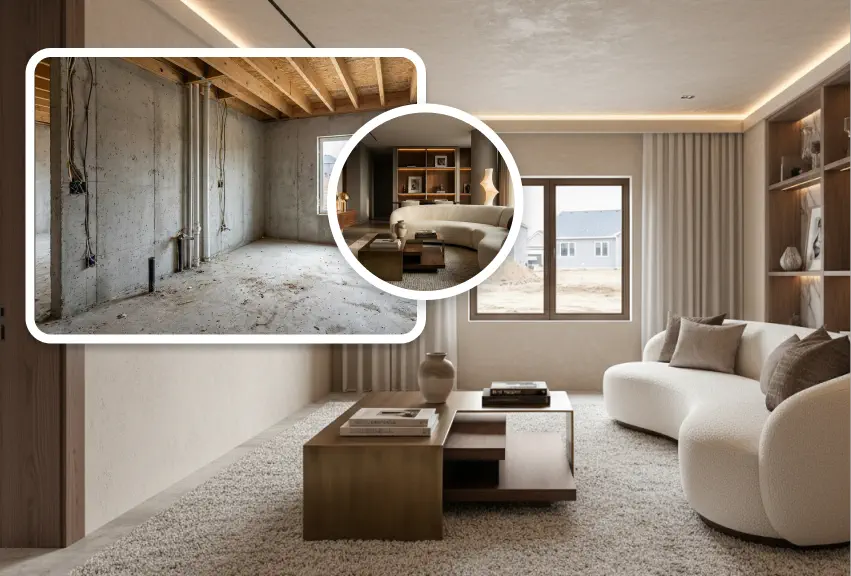
photo to photo style transfer interior design

Interior & Space Style Preview

With photo to photo style transfer, you can apply different interior design styles to the same room layout using reference images. This image to image AI style transfer makes it easy to preview and compare multiple space designs visually.
Transfer Style
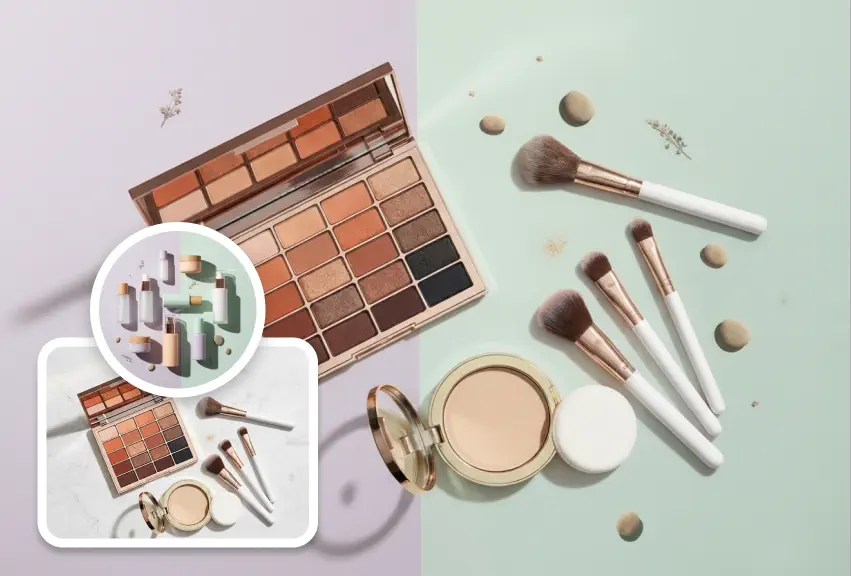
photo to photo style transfer brand design

Brand & Visual Design Matching

Photo to photo style transfer helps match new images to the style of existing brand visuals, posters, and marketing designs. With image to image AI style transfer, your new content blends seamlessly into the original visual identity.

Transfer Style

How to Run Photo to Photo Style Transfer

Four quick steps to transfer style from one image to another using a reference photo and your content shot.

Add the Content Photo

Upload the photo you need styled; we keep the main subject and key traits while applying the chosen reference style.

Upload Your Style Reference

Drop in the image that sets the look—illustration, render, texture set, or photo—so the AI learns its color, surface, and mood cues.

Pick Pro or Max, Then Prompt

Choose Pro or Max for higher fidelity, then add a short prompt to steer lighting or detail.

Generate and Refine

Render and download your image. If you want changes, re-run with an updated prompt or a different reference.

FAQ

Photo to Photo Style Transfer FAQ

Answers to the most common questions about AI style transfer with reference image, quality controls, copyright, and how to get the best results.

Pro is optimized for speed, affordability, and dependable photo to photo style transfer across most use cases. Max pushes for higher fidelity on complex textures and niche art directions but consumes more credits. Start with Pro; upgrade to Max only when you need extra precision.

Adjust your prompt with the exact change you want—mood, color, texture—and re-run. If needed, upload a clearer style reference so the AI follows your direction.

Clear images with a strong, readable style work best. Avoid blur, heavy watermarks, or muddy lighting so the AI can mirror the look accurately.

JPG, PNG, and WebP are supported for both style reference and content uploads. Use higher resolution when possible for sharper results.

Usually yes—the main subject and key traits are kept while the chosen style is applied. For extra control, add prompts like "keep the face shape" or "preserve label text."

Uploads are encrypted in transit and processed on secure servers. We delete images after completion of your AI style transfer with reference image, and we never train on your assets.

Yes. Use reference images you own or license-free styles before selling or publishing. You keep full rights to outputs you generate; just make sure the style you mimic is cleared for your commercial use.

Start Your Photo to Photo Style Transfer Now

Upload a style reference image and your content photo, then let the AI handle the heavy lifting. Deliver consistent, on-brand visuals faster with reliable photo to photo style transfer you can rerun and refine as needed.