Image to Image AI Generator

Upload up to 6 reference photos, add a text prompt, and let AI restyle or reimagine them.

Powered by

GoogleOpenAIByteDanceQwen

What Image to Image Can Do

Go far beyond filters. Upload a photo, describe your intent, and let the AI reason about what to keep and what to change.
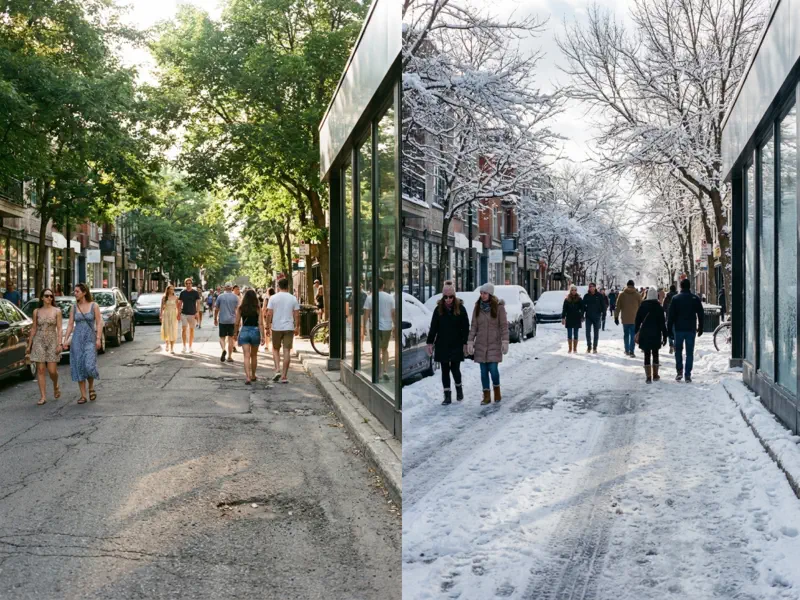
image to image scene transformation

Scene & Environment Reimagination

Upload a photo and rewrite its reality. Shift a daytime street to a rain-soaked midnight scene, turn a summer garden into a snow-covered landscape, or place your subject on a different planet entirely. Image to image AI understands lighting, weather, and spatial context, so the transformation feels physically plausible rather than pasted on.
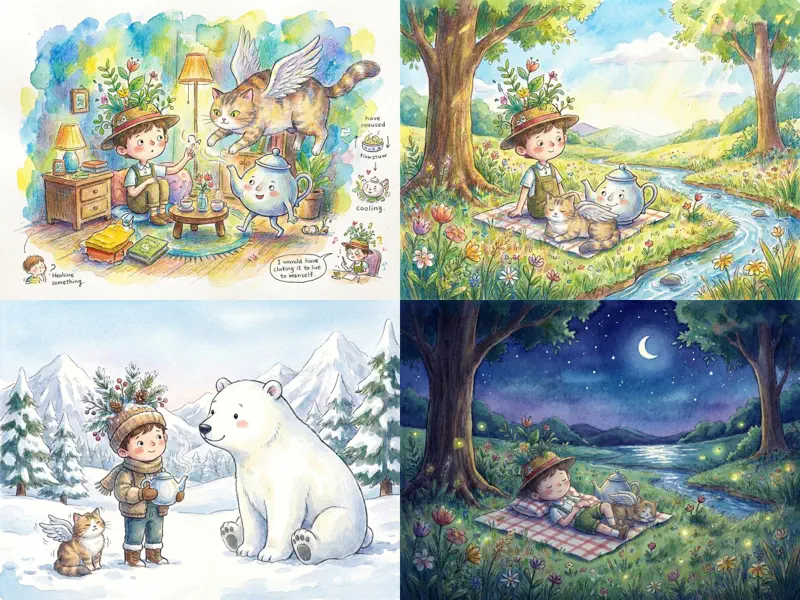
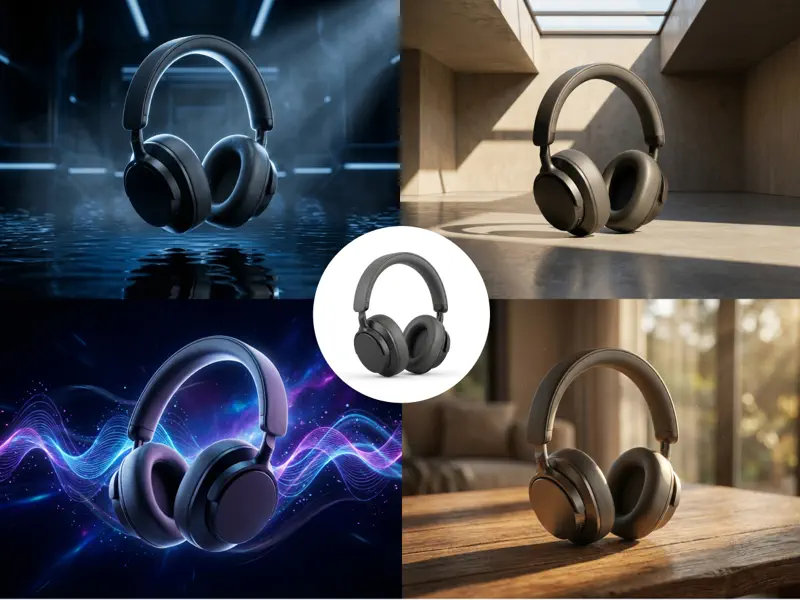
How Image to Image Works

Four steps to transform any photo. Upload, describe, generate, download.

Upload Your Photos

Drag and drop or click to upload your source images. You can add up to 6 reference photos at once. Supports JPG, PNG, WebP, and HEIC formats.

Describe the Change

Write a prompt telling the AI what you want: a new style, mood, color scheme, or artistic direction. Be specific about what to keep and what to change.

Choose Model & Ratio

Pick the AI model that fits your goal and select an output aspect ratio. Available ratios adapt automatically based on the model you choose.

Generate and Refine

Hit generate and get your image to image result in seconds. Not perfect? Adjust the prompt, swap a reference photo, and run again. Iterate until it's right.

FAQ

Image to Image FAQ

Answers to common questions about our image to image AI generator, supported formats, copyright, and tips for better results.

Image to image AI takes an existing photo and transforms it based on your instructions. Unlike text to image, which creates visuals from scratch, image to image uses your uploaded photo as a starting point. The AI reads the structure, subject, and composition of your source image, then applies the changes you describe, such as new art styles, color palettes, moods, or visual treatments, while preserving the core elements.

Text to image generates a completely new picture from a written description. Image to image starts with a photo you already have and transforms it. Choose text to image when you're creating from scratch. Choose image to image when you want to restyle, remix, or reimagine an existing photo while keeping its structure and subject intact.

You can upload up to 6 reference images per generation. This is useful when you want the AI to combine elements from multiple sources, for example one image for color palette and another for composition. You can also drag and drop images for a smooth, intuitive upload experience.

We support JPG, PNG, WebP, and HEIC formats for uploads. For best results, use clear, high-resolution source images. The AI performs best when it has enough detail to work with in the original photo.

Yes. Our image to image models are designed to preserve the main subject, facial features, and key structural elements of your source photo. The transformation applies to style, texture, and mood, not to the core identity of your image. If you want tighter control, mention specifics in your prompt.

New users receive free credits after signing up, so you can try image to image generation at no cost. You can also claim additional free credits every day. If you need more, credit packs are available through our pricing page.

Paid plans include commercial usage rights for all generated images. This covers client work, marketing campaigns, social media, print, and merchandise. Free-tier outputs do not include commercial rights. You are also responsible for ensuring any photos you upload don't infringe on third-party copyrights.

Clear photos with good lighting and defined subjects give the best image to image results. Portraits, product shots, interiors, and landscapes all work well. Avoid heavily compressed, blurry, or very low-resolution images because the AI needs enough visual information to produce a quality transformation.

All uploads are encrypted in transit and processed on secure servers. We automatically delete images after processing and never use your content for model training. Your photos and creative work remain completely private.

Ready to Transform Your Images?

Upload a photo, describe what you want, and get a transformed result. Try our image to image AI generator now, no signup required to start.